Your priority is immediate in-stay ordering and service access with minimal guest setup.
Useful for hotels that do not want app installation to be a prerequisite for room-service dining or routine hotel-service requests.
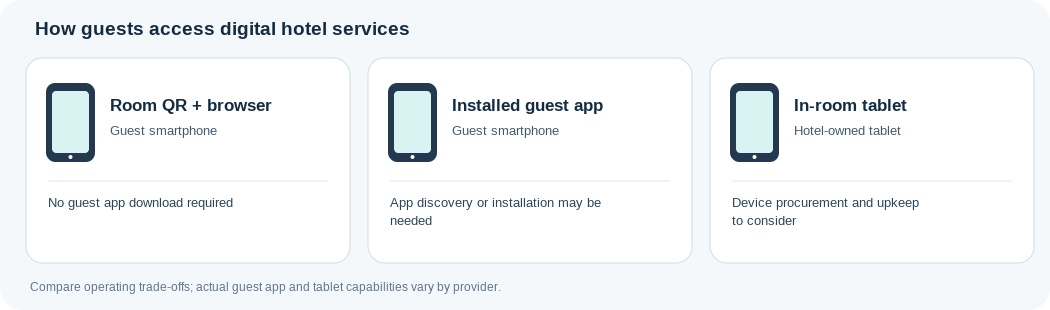
Compare an instant browser-based Room QR experience with a model that asks guests to discover, download or open a hotel application.
Unbiased decision framework
Neither approach is right for every property. A browser-based guest QR can reduce guest setup friction. An installed app may be useful for loyalty, repeat engagement and richer device experiences when guests choose to install it.
| Evaluation question | Room QR + browser | Installed guest app |
|---|---|---|
| Guest access | Scan a room QR, open a supported mobile browser. | Guest finds, installs or opens an app. |
| Best-fit use | In-stay orders, hotel information and service requests. | Can also support loyalty or pre-/post-stay engagement, depending on provider. |
| Adoption risk | Guests must notice and scan the QR. | Guests must be willing and able to use the installed app. |
| Hotel evaluation | Test QR placement, connectivity and room identification. | Test onboarding, downloads, app permissions and account recovery. |
| Operational integration | Check each vendor's actual PMS, payment, housekeeping and guest-messaging support; never assume parity. | |
This compares approaches, not named competitors or verified vendor feature parity.
| Decision area | Alternative approach | DigitalRoomService |
|---|---|---|
| Guest installation | Typically requires an installed app for the intended app experience. | No guest app download required. |
| First-use friction | May include app-store discovery, download and onboarding. | Scan Room QR and open browser experience. |
| Room context | Usually depends on app login, booking linkage, deep links or provider design. | Room-specific QR establishes room context and a temporary Room Guest Session. |
| Hotel services | Can be broad depending on app scope. | Dining plus configured operational services are first-class Room QR workflows. |
| Persistent loyalty / marketing | Often a strength of full hotel apps. | Not positioned as a loyalty or destination-marketing app. |
| Staff operations | May be separate from the guest app or part of a larger suite. | Command Center and browser-based Staff Portal are part of the same platform. |
| Guest location verification | Varies by provider. | Optional GEO check can apply when submitting new protected Room requests. |
| Device strategy | Guest uses installed mobile app. | Guest uses own phone browser; staff/managers use browser-capable devices. |
Useful for hotels that do not want app installation to be a prerequisite for room-service dining or routine hotel-service requests.
If your strategy centers on a persistent branded guest app with loyalty, destination content, pre-arrival engagement and post-stay marketing, a full hotel guest app may better fit that broader goal.
This page compares operating approaches and common category characteristics, not every product in the market. Capabilities vary by vendor and can change. Verify any shortlisted provider's current functionality, pricing, integrations and contractual terms directly before making a purchasing decision.
Optional Google identity can be offered, but Room access security is separate and sign-in is not required to begin the guest experience.
Not necessarily. It is focused on in-stay Room QR ordering, guest services and hotel operations rather than replacing every loyalty or marketing use case.
No separate installed staff app is required; staff can use a browser-based QR + PIN workspace.