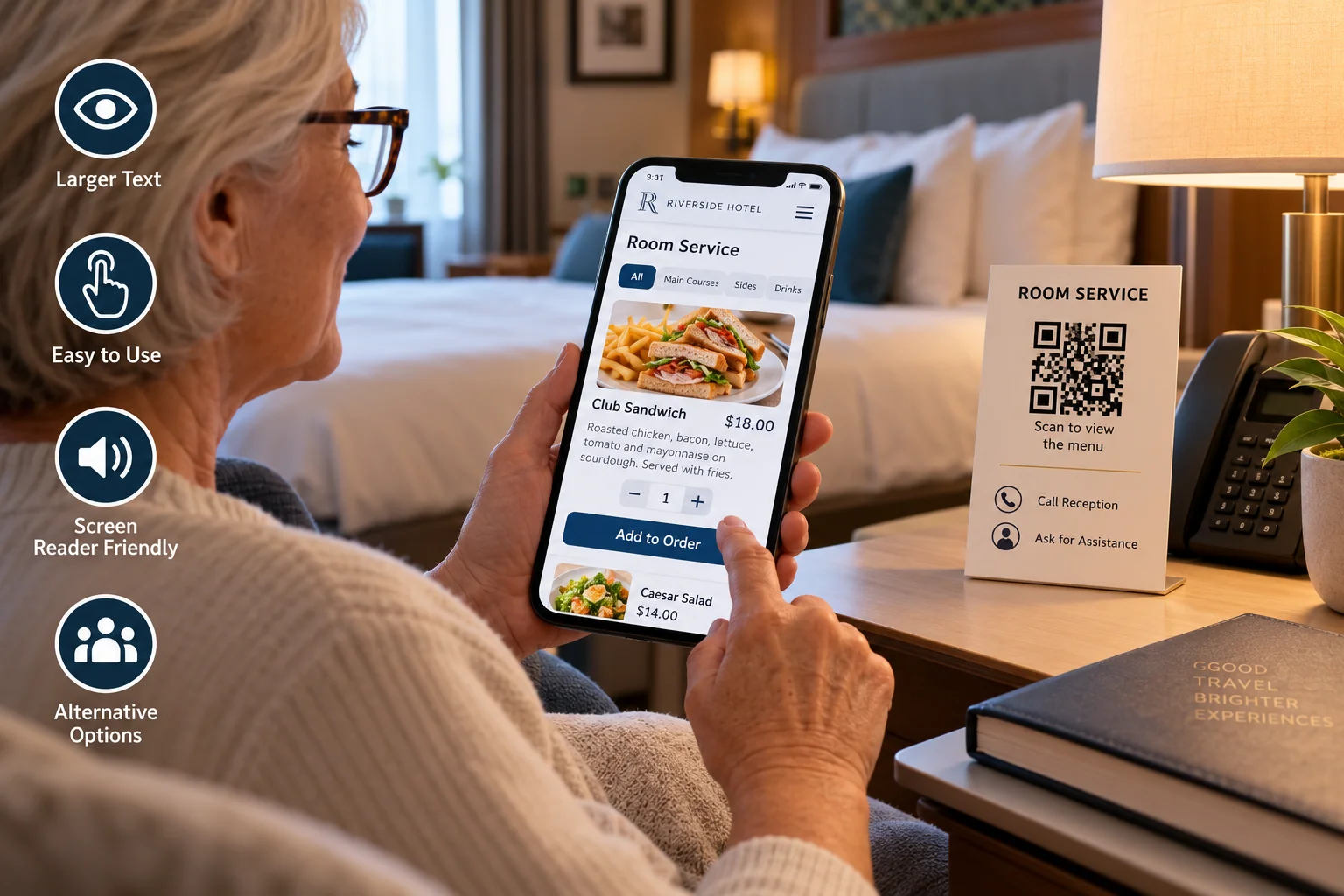
Imagine arriving at a hotel after a long journey.
You're hungry, tired and looking forward to dinner.
On the bedside table, you find a card inviting you to scan a QR code to order food.
For many guests, that's convenient. They can open the menu on their phone, choose a meal and submit an order without calling reception.
But what happens if the guest has limited vision?
What if they have difficulty using small touchscreen buttons?
What if they're an older traveler who isn't comfortable navigating a digital menu?
These questions matter because a hotel guest-service experience should work for more than the average smartphone user.
Digital convenience is valuable only when people can actually use it.
1. Why Hotel QR Accessibility Matters
QR-based hotel services are becoming an alternative to printed menus and telephone-based requests.
Guests may be able to order food, request towels or ask for housekeeping assistance through a mobile browser.
However, a QR code is only the starting point.
The actual experience depends on the website that opens afterward.
If the text is too small, buttons are difficult to select or the interface cannot be used with assistive technology, some guests may be excluded.
The U.S. Department of Justice explains that businesses open to the public, including hotels, have obligations under the Americans with Disabilities Act.
Its web-accessibility guidance discusses barriers such as poor color contrast, inaccessible navigation and missing text alternatives. ADA.gov
For hotels, this makes accessibility both a guest-experience priority and an important compliance consideration.
2. Make Text Easy to Read
A hotel menu shouldn't require guests to zoom repeatedly just to understand the price of a sandwich.
Use readable fonts, clear headings and sufficient spacing.
Avoid placing important information over complicated photographic backgrounds.
Text and background colors should provide enough contrast for guests with reduced vision.
The same principle applies to order status.
A small green dot might indicate that an order is ready, but color alone shouldn't communicate essential information.
Display a clear text label such as Ready for Delivery.
3. Use Buttons That Are Easy to Select
Hotel guests may be using their phones while sitting in bed, carrying luggage or holding a child.
Some may have limited hand mobility.
Tiny controls can make the experience frustrating.
Important actions should be clearly visible and easy to select.
For example, a quantity selector should distinguish between adding and removing items.
The checkout button should remain understandable even when the guest increases the phone's text size.
Avoid requiring precise gestures for essential actions.
4. Support Screen Readers
Some guests use screen readers that announce the contents of a webpage.
A menu that looks attractive visually may still be difficult to understand through assistive technology.
Images should have meaningful alternative text where appropriate.
Form controls should have accessible labels.
Buttons should communicate their purpose.
Instead of an unlabeled icon, a screen reader should be able to identify an action such as Add Club Sandwich to Order.
Headings should follow a logical structure so guests can navigate between menu categories.
The World Wide Web Consortium provides accessibility principles covering keyboard access, understandable content and assistive technology compatibility. W3C
5. Don't Make QR Ordering the Only Option
This is particularly important.
A hotel might introduce a beautifully designed QR menu and assume every guest will want to use it.
But some guests may not have a smartphone.
Others may have a discharged battery, unreliable connectivity or difficulty using the interface.
Hotels should maintain an appropriate alternative for obtaining assistance and placing orders.
That might include reception, telephone ordering or staff assistance.
Digital ordering should expand guest choice rather than remove it.
6. Make Food Information Clear
An accessible menu should do more than display attractive photographs.
Guests need understandable item names, descriptions, prices and available options.
For example, a guest ordering pasta should be able to determine whether the dish contains meat, which modifiers are available and what the final price will be.
Where relevant, provide accurate ingredient and allergen information.
Do not imply that a menu automatically accommodates dietary requirements merely because it has customization options.
Guests with serious allergies should have a reliable way to contact hotel staff.
7. Explain What Happens After an Order
A confusing ordering process can create anxiety.
After a guest submits an order, the interface should make it clear whether the request was received.
If the hotel provides order-status updates, those updates should use understandable language.
For example:
Order Received → Preparing → Ready → Delivered
Hotels should avoid displaying estimated delivery times unless the system can provide reasonably reliable information.
If a request fails, the guest should receive a clear explanation and an alternative way to contact the hotel.
8. How Digital Room Service Fits Into the Experience
Digital Room Service provides browser-based room ordering and guest-service workflows.
At participating hotels, guests can scan a room-specific QR code, browse available dining and hotel services, and submit requests without installing a separate application.
Orders and requests retain room context as they move into the hotel's operational Command Center.
The platform also supports guest-facing order progress based on actual operational events.
These capabilities can help hotels organize digital guest services.
However, the availability of a browser-based interface does not by itself establish ADA or WCAG compliance. Hotels should evaluate the deployed guest experience for accessibility and maintain appropriate alternatives. Digital Room Service
9. Test With Real Guest Scenarios
Before introducing QR ordering across a property, test the experience.
Try increasing the phone's text size.
Navigate using a keyboard or supported assistive technology.
Check whether menu descriptions remain readable.
Try submitting an order without relying on color alone.
Ask employees to help someone unfamiliar with QR codes.
Where possible, involve people with disabilities in usability testing.
Automated accessibility testing can identify some problems, but it cannot replace manual evaluation.
Frequently Asked Questions
Are hotel QR menus accessible to people with disabilities?
They can be, but accessibility depends on the design and implementation of the linked website and the hotel's overall service arrangements.
Do hotel websites need to consider ADA accessibility?
Yes. Hotels are generally public accommodations under Title III of the ADA. Specific obligations depend on applicable law and circumstances.
Can older guests use QR room service?
Many can, especially when interfaces use clear text and simple navigation. Hotels should also provide appropriate alternatives.
Does a browser-based QR menu automatically meet accessibility standards?
No. Browser access alone does not establish compliance with accessibility standards.
Should hotels remove traditional ordering after introducing QR codes?
Hotels should maintain appropriate alternative methods so guests who cannot use digital ordering can still access services.
Better Hospitality Includes Everyone
Technology should make a hotel stay easier.
It shouldn't create another obstacle between guests and the services they need.
An accessible digital menu, understandable order updates and helpful staff can work together to create a more inclusive experience.
The best hotel technology isn't simply the newest.
It's the technology that helps more guests feel comfortable, informed and welcome.
Explore browser-based guest ordering and hotel service coordination with Digital Room Service.
Related guides